


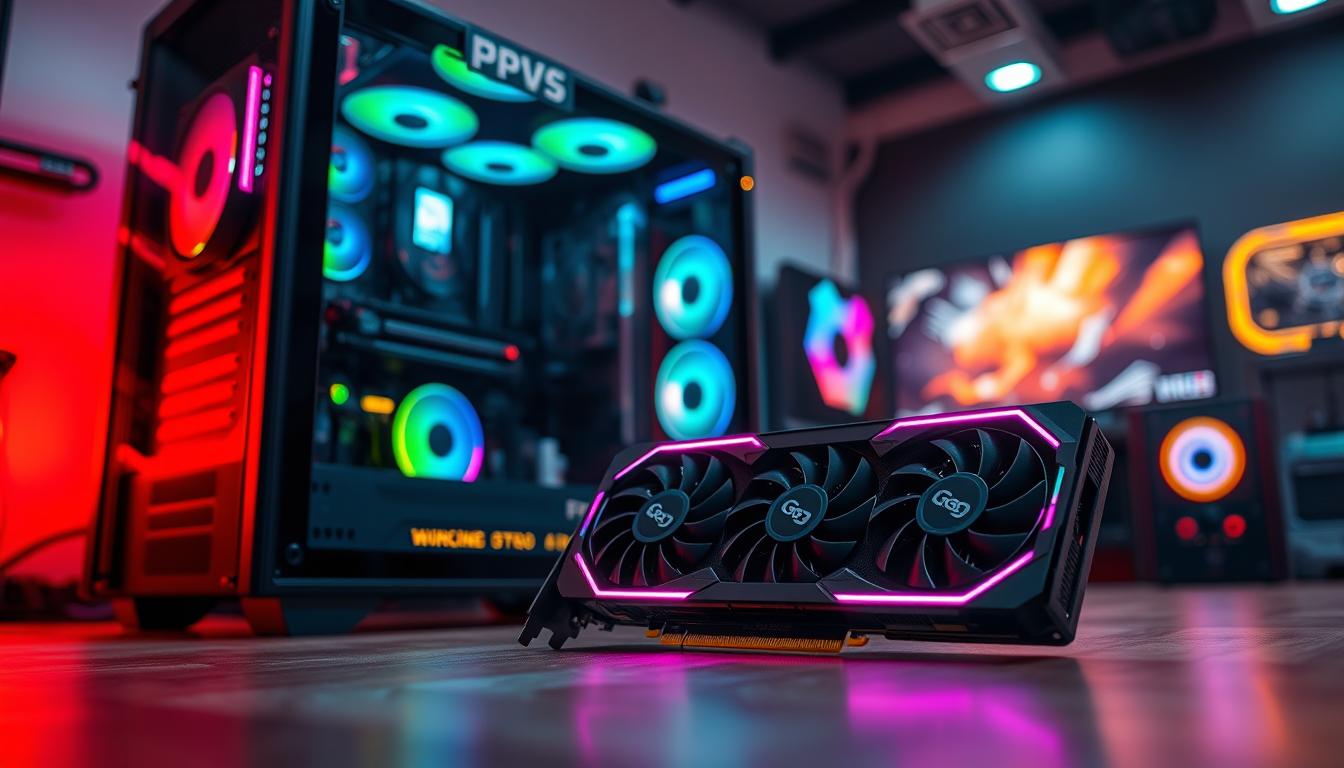
Surprising fact: as of November 2025 the GeForce RTX 5090 trades for about $2,649 on the street, well above its $1,999 MSRP, yet it still tops raster and ray tracing charts in our tests.
We built this roundup to help U.S. buyers cut through noise and find the right balance of performance, features, and price.
Our definition of “fast” covers more than peak FPS. We weigh stability, latency, frame pacing, and native results across modern titles before adding upscalers or frame generation.
Testing used geometric means across multi-title suites on a Ryzen 7 9800X3D platform, and we note midrange picks like the RTX 5060 Ti 16GB and RX 9060 XT 16GB often deliver the best value.
While the RTX 5090 is the outright leader, the best graphics option for most gamers blends VRAM, bandwidth, and driver maturity with sensible power needs.
For further context on market positioning and our methodology, see a broader comparison of top graphics cards rankings and an analysis of generational value like the RTX 4060 Ti vs older rivals at generation comparisons.
Key Takeaways
- We prioritize real-world performance: native raster and ray tracing outcomes before upscaling.
- The RTX 5090 leads tests but may not be the best value for most budgets.
- Midrange cards now often sit near MSRP and can offer long-term gaming value.
- VRAM, bandwidth, and driver maturity strongly affect 1440p and 4K results.
- Market pressures from AI demand make timing and price important for U.S. buyers.
Why we built this product roundup for the fastest graphics card shoppers
We set out to rank contenders by how they perform in native rendering, so our conclusions reflect real-world play rather than marketing claims or upscaler boosts.
Recent test suites compare GPUs without DLSS, FSR, or XeSS. That approach reveals true tiers of performance across modern games. It helps us show which solutions matter for steady frame pacing and low latency.
U.S. street prices in late 2025 matter. Many midrange cards sit near MSRP while the RTX 5090 still sells well above list because of demand. AI data center pressure is raising memory costs, so the current window for lower prices may be short.
- We weigh native throughput and practical ownership factors like power, noise, and thermals.
- We use current U.S. pricing and availability so your buying decision matches what you’ll actually pay.
- We point out when a premium GPU makes sense and when a lower-cost model gives nearly the same gaming feel.
For broader system recommendations, see our roundup of top gaming laptops to match GPUs and platforms.
At a glance: top graphics cards and who each is for
We summarize the standout options so you can match a GPU to your monitor, settings, and price range. Below are concise picks for different users, from uncompromised 4K to tight-budget 1080p builds.
Fastest overall for pure performance
GeForce RTX 5090 dominates native raster and ray-traced tests. Median street price is about $2,649 and medians hit roughly 157 FPS at 1080p, 141.8 at 1440p, and 102 at 4K.
This is for enthusiasts with a top-tier monitor and no tradeoffs on settings or frame rate.
Best enthusiast value
RTX 5070 Ti and similar rivals give big enthusiast performance without RTX 5090 costs. Expect ~124 FPS at 1080p and solid 1440p results around 101 FPS at street prices near $809.
Best midrange sweet spot
Radeon RX 9070 (16GB) blends 16GB VRAM and real-world performance. With partners listing some models near MSRP ($549–$599), it often matches or beats similarly priced alternatives while avoiding VRAM bottlenecks.
Best mainstream under $500
GeForce RTX 5060 Ti 16GB balances smooth pacing and DLSS 4 headroom. Typical street pricing sits near $469 and delivers reliable 1080p and 1440p play without power excess.
Best around $300
GeForce RTX 5060 is the practical 1080p pick at or near a $299 MSRP. It posts midrange medians that suit esports and single-player titles, and you can use DLSS 4 for added longevity.
Notes: VRAM matters for modern ports and RT workloads; the RX 9060 XT 16GB at ~$389 is a solid alternative for 1080p/1440p play. For a deeper look at market positioning and test data, see Tom’s Hardware’s summary of top GPUs: best GPUs.
How we test GPUs: our present-day test suite and methodology
We run a modern, repeatable test suite to measure native performance across current titles. Results reflect how a card performs without upscalers or frame generation so readers see true hardware differences.
Our raster suite includes 14 demanding games such as Black Myth: Wukong, God of War Ragnarök, Starfield, and Spider-Man 2. The ray tracing subset contains Avatar: Frontiers of Pandora, Cyberpunk 2077, F1 ’24, and Spider-Man: Miles Morales. We test at 1080p medium and ultra, 1440p ultra, and 4K ultra to expose scaling and bottlenecks.

Testbed and data handling
Current tables use an AMD ryzen 9800x3d platform with up-to-date drivers to reduce CPU bias at lower resolutions. We log power draw, temperatures, and clock behavior to pair raw FPS with efficiency and acoustics.
Why native baselines matter
We compute geometric means across titles so no single game skews the test results. All baseline rankings run at native resolution without DLSS, FSR, or XeSS. That lets us highlight where RT or VRAM capacity causes meaningful deltas.
- Multiple resolutions show scaling for each generation and architecture.
- Ray tracing tests reveal relative strengths from light to heavy tracing loads.
- We refresh the suite periodically and track US street pricing to ground value comparisons.
Fastest graphics card: GeForce RTX 5090 for uncompromised 4K performance
When you demand uncompromised 4K visuals, the GeForce RTX 5090 sets the bar for native rendering and ray tracing. In our native tests it posts medians of roughly 157 FPS at 1080p, 141.8 FPS at 1440p, and 102 FPS at 4K. Those numbers reflect raw hardware throughput, without upscalers.
Where it leads in our raster and RT charts
The 5090 tops both raster and ray tracing tables. Its lead grows as resolution and visual settings climb.
With heavy ray tracing enabled, the RTX 5090 widens the gap and keeps frame pacing smooth in demanding scenes.
Power, thermals, and platform considerations
This generation draws notable power; our at-a-glance data lists average measured draw near 394W while vendor TBP entries reach 575W. Plan for a high-capacity PSU and strong case airflow.
Below 4K, even high-end CPUs can bottleneck the GPU. The card benefits most from a 4K high-refresh or 1440p ultra-high-refresh display.
Who should actually buy it in the United States
US street prices average about $2,649 versus a $1,999 MSRP. That premium makes the 5090 a niche pick for buyers who want top-tier results regardless of cost.
We recommend this for enthusiasts with best-in-class monitors, creators who need compute and VRAM headroom, and gamers who insist on max RT at 4K. If price or display hardware limits you, consider a lower-generation or lower-tier option.
| Metric | Median Result | Power / TBP | Typical US Street Price |
|---|---|---|---|
| 1080p native | ~157 FPS | Average draw ~394W; TBP ~575W | ~$2,649 (street) |
| 1440p native | ~141.8 FPS | ||
| 4K native (ultra) | ~102 FPS | — | MSRP $1,999 |
Best enthusiast pick: GeForce RTX 5070 Ti vs Radeon RX 9070 XT
We compare two near-flagship options that aim for enthusiast-level play without flagship pricing. Both deliver strong native raster throughput and sensible thermals, so the decision often comes down to features and US pricing.
Baseline FPS parity and where RT tips the scale
The RTX 5070 Ti posts medians of ~124.2 / 101.2 / 62.1 FPS (1080p / 1440p / 4K). The RX 9070 XT sits close at ~119.9 / 98.3 / 61.0. On raw raster performance the gap is small and mostly imperceptible in play.
With ray tracing enabled, Blackwell architecture and DLSS ray reconstruction generally keep frame pacing steadier on the 5070 Ti. RDNA 4 still offers solid native results but trails when RT loads rise.
DLSS 4 with Multi-Frame Generation vs FSR 4
DLSS 4 and MFG on rtx 50-series cards can add 1–3 effective frames and multiply performance in supported titles. AMD’s FSR 4 is improving and limited to RX 9000-series, but current FSR quality is close in many scenes.
Street pricing, availability, and value judgments
Typical US street prices: RTX 5070 Ti ≈ $809, RX 9070 XT ≈ $679. Availability at or near MSRP is getting better for amd radeon 9070 models, making them compelling value if price is the priority.
- Summary: both cards are excellent for high-refresh 1440p gaming.
- We lean toward the RTX 5070 Ti for broader upscaling support and RT smoothing.
- If price or 16GB VRAM matters more, the RX 9070 XT is a strong, cost-conscious alternative.
- Consider the RTX 5080 only if you need a larger 4K uplift; otherwise the 5070 Ti is the sweet spot.
Best midrange choice: Radeon RX 9070 with 16GB VRAM
We find the Radeon RX 9070 is the best midrange option when you want steady performance and more memory headroom. In our native tests it posts medians of 110.4 / 86.9 / 52.9 FPS (1080p / 1440p / 4K). US pricing sits near $569, which keeps it competitive versus similar options.

Why 16GB matters for today’s games and upscalers
The RX 9070’s 16GB of VRAM gives extra headroom for high-res textures, ray-trace buffers, and modern upscaling models at 1440p and higher.
This matters when games load large assets or when an upscaler keeps more frames in memory. More VRAM helps reduce stutters and long-term slowdowns as assets grow.
How it stacks up to GeForce RTX 5070
Against the GeForce RTX 5070, the RX 9070 slightly outpaces the RTX 5070 in our medians (107.3 / 81.2 / 47.7). The RX’s 16GB vs the RTX’s 12GB often shows up under heavy RT or memory-heavy scenes.
- Performance: RX 9070 edges the RTX 5070 in native FPS, especially at higher settings.
- Features: RTX 5070’s DLSS 4 is attractive, but it must manage with less memory.
- Value: Similar US prices mean choose features (DLSS/MFG) or VRAM comfort.
For buyers who want a worry-free 1440p experience and smoother long-term ownership, we favor the RX 9070’s larger memory pool and stable baseline performance.
Best mainstream under $500: GeForce RTX 5060 Ti 16GB
For mainstream buyers chasing smooth 1080p and sensible 1440p play, the GeForce RTX 5060 Ti 16GB hits the sweet spot. It balances low power draw with modern features and 16GB of memory that avoids many texture stalls.
Smoother frame pacing and DLSS 4 headroom
In our medians the rtx 5060 ti posts roughly 82 / 59.7 / 33.52 FPS (1080p / 1440p / 4K). TBP sits near 180W and typical US street price is about $469.
DLSS 4 with MFG gives extra upscaling headroom on high-refresh 1080p panels and helps keep frame rates steady under load. The 16GB of VRAM also reduces stutter when enabling frame generation or higher texture packs.
Comparison to Radeon RX 9060 XT 16GB
The RX 9060 XT 16GB posts medians near 76.6 / 55.7 / 31.2 FPS, with a ~160W TBP and street price around $389. AMD’s option undercuts price and is efficient, but it can show occasional pacing hiccups in demanding scenes.
“We recommend the 5060 Ti if you want the smoother, more consistent experience; pick the 9060 XT if price sensitivity beats absolute smoothness.”
- RTX 5060 Ti: smoother pacing, broader DLSS support, slightly higher power draw.
- RX 9060 XT: better price, good native performance, growing FSR 4 support.
- Both: quiet operation and sensible mainstream performance for current games.
| Model | Median FPS (1080/1440/4K) | TBP | Typical US Price |
|---|---|---|---|
| GeForce RTX 5060 Ti 16GB | ~82 / 59.7 / 33.52 | ~180W | ~$469 |
| Radeon RX 9060 XT 16GB | ~76.6 / 55.7 / 31.2 | ~160W | ~$389 |
Best enthusiast value: Radeon RX 9060 XT 16GB
If you aim for strong 1080p performance and a capable 1440p experience on a tighter budget, the Radeon RX 9060 XT 16GB is our enthusiast value pick.
The card typically trades around $389 street versus a $349 MSRP and posts medians near 76.6 / 55.7 / 31.2 FPS (1080p / 1440p / 4K) with a ~160W TGP. That combination gives strong raster performance while keeping power modest.
Its 16GB of VRAM avoids many memory-limit scenarios in modern games, so high texture packs and large scenes stay smoother longer.
FSR 4 support improves image quality versus older FSR builds, and that makes upscaling a useful tool on this model. Frame generation via AMD’s FSR remains limited to a 2x design until Redstone adds AI enhancements, so Nvidia’s MFG still has an edge in some titles.
- Why buy: excellent performance per dollar for 1080p ultra and solid 1440p high play.
- Quiet, efficient operation and a friendly price point under $400 in the US.
- Competitive against pricier mainstream Nvidia options when you value raw raster performance and memory headroom.
“We recommend the RX 9060 XT 16GB for enthusiasts who want high settings at 1080p and a strong 1440p experience without stretching the budget.”
For deeper technical testing and a full review, see our detailed look at the RX 9060 XT: RX 9060 XT 16GB review.
Best around $300: GeForce RTX 5060 for 1080p gaming
If your priority is smooth competitive play without breaking a $300 budget, the RTX 5060 is the sensible pick. In our medians it posts roughly 67.9 / 43.4 / 18.6 FPS (1080p / 1440p / 4K), which makes it a reliable performer for popular titles at high-quality 1080p settings.
Typical US pricing sits near $329 but many listings fall to the $299 MSRP. DLSS 4 gives an image-quality uplift and meaningful frame boosts in supported games. That feature extends the useful life of the platform for gamers who want better visuals without heavy tuning.
Keep in mind the 8GB of VRAM can limit frame generation and ultra texture packs in the most demanding releases. For esports and lighter AAA titles, the rtx 5060 keeps frame pacing tidy and power/thermals easy to manage, which suits small-form-factor builds.
- Budget fit: Best pick if you must stay near $300 and want steady 1080p performance.
- Upscaling: Enable DLSS Quality where available to keep clarity while boosting FPS.
- Limits: 8GB VRAM means heavy frame generation use is situational; dial textures or RT to balance results.
- Upgrade path: If you can stretch a bit, consider the RTX 5060 Ti 16GB or RX 9060 XT 16GB for stronger 1440p scaling.
For pricing and current availability in the US, check a reliable retailer listing for the RTX 5060 series. We recommend the 5060 when 1080p gaming and tight budgets are your top constraints.
The fastest graphics card options by resolution
We break down the best options by resolution so you can match a GPU to your monitor and playstyle. Below we highlight value leaders, midrange sweet spots, and what it takes to reach consistent 60 FPS at 4K.
1080p ultra: value leaders and VRAM pitfalls
Value leaders: the RTX 5060 delivers strong 1080p ultra performance for budget-conscious players. The RX 9060 XT 16GB adds memory headroom and fewer stutters with high-res textures.
We caution that 8GB models can struggle with ultra texture packs or heavy ray tracing in modern AAA games. If you plan to max settings and use frame generation, 16GB avoids many memory-related hiccups.
1440p ultra: sweet-spot contenders
For 1440p ultra, the Radeon 9070 and RTX 5070 hit the sweet spot. The RX 9070’s 16GB of VRAM gives extra buffer for demanding assets.
Enthusiasts wanting smoother RT performance should favor the RTX 5070 Ti for better pacing and upscaler support in RT-enabled titles.
4K ultra: what it takes to consistently hit 60 FPS
Native 4K at 60 FPS typically points to the RTX 5080 or rtx 5090 without upscaling. With DLSS or FSR, the RX 9070 XT and RTX 5070 Ti become viable in many engines.
Note: our baseline tables exclude upscalers, so real-world 4K smoothness often depends on DLSS/FSR usage, VRAM capacity, and memory bandwidth. Match the card to your monitor’s resolution and refresh rate to avoid overpaying.
- 1080p: RTX 5060 for value; RX 9060 XT 16GB for headroom.
- 1440p: RX 9070 and RTX 5070 as top sweet-spot picks.
- 4K: RTX 5080/RTX 5090 for native 60 FPS; upscaling helps midrange contenders.
Ray tracing reality check: when to enable RT and when to skip it
Not every title gains noticeably from ray tracing; picking when to enable it matters for playability and thermals.
Titles that benefit most from RT today
We see clear gains in games with rich reflections and dynamic lighting. Cyberpunk 2077 and Spider-Man: Miles Morales show the biggest visual uplift.
Avatar: Frontiers of Pandora and F1 ’24 can improve with moderate tracing settings, but the return is smaller.
Maintaining 60 FPS: which GPUs make sense
Heavy RT often tanks performance, so upscaling or frame generation is usually required at higher resolutions.
- 1080p RT: RTX 5060 Ti 16GB, 4060 Ti 16GB, or Radeon 9060 XT 16GB hold up well.
- 1440p RT: aim for RTX 5070 or Radeon 9070; the 5070 Ti improves consistency.
- 4K RT near 60 FPS: RTX 5080, 4090, or RTX 5090 are the realistic targets with DLSS/MFG.
Practical tip: try mixed presets—keep reflections on, drop RT GI—and confirm VRAM headroom before adding frame generation. For comparative context on midrange options, see our note on the RTX 4060 Ti vs older rivals at why the RTX 4060 Ti should beat the RTX.
Features that matter in 2025: DLSS 4, FSR 4, and XeSS 2
Modern upscalers and AI frame tools now shape how we evaluate GPU value in 2025. The ecosystem you pick affects feature support, perceived smoothness, and image clarity in many games.
DLSS 4 Transformer upscaling and MFG on RTX 50-series
DLSS 4 uses a Transformer-based approach to improve image quality over prior iterations. It sharpens fine detail while keeping stable output at target resolution.
The rtx 50-series adds Multi-Frame Generation (MFG), which can insert one to three AI frames to smooth motion and boost perceived frame rates.
FSR 4 on RX 9000-series and the Redstone roadmap
FSR 4 brings better image quality to the RX 9000-series, but current frame generation stays at a 2x model until Redstone updates add AI-driven enhancements.
FSR is cross-vendor for upscaling, so it helps performance on diverse GPUs while offering decent image results.
Intel XeSS status and Arc compatibility
XeSS 2 is a capable upscaler and has AI frame-gen work tied to Intel Arc hardware. Adoption is lighter than DLSS/FSR, so game support can be spotty.
“Test Quality and Performance modes and keep RT toggles handy to balance image clarity and frame delivery.”
- Architectures and drivers shape real-world results; test in your titles.
- Frame generation can smooth CPU-limited runs but consider input latency for competitive play.
VRAM, memory bandwidth, and longevity considerations
Memory subsystem design — cache, bus width, and raw bandwidth — often decides real-world performance when games push textures and ray-trace buffers.
We find the RX 9070 and 9070 XT with 16GB show fewer slowdowns in memory-heavy scenarios. By contrast, the RTX 5070’s 12GB can force compromises with RT plus DLSS in some titles.
Practical guidance: prioritize 16GB VRAM at the midrange and up to reduce stutters and future-proof your build. Higher bandwidth and compression tech also matter, so look beyond capacity alone.
- At 1440p/4K: 16GB is the practical minimum; high-end builds benefit from 20–24GB for mods and content creation.
- Upscalers: AI frame-gen and transformer upscalers use VRAM, so reserve space for both the game and the feature stack.
- Balance: a slightly slower card with more memory often yields smoother gaming long term.
| Aspect | Recommendation | Why it matters |
|---|---|---|
| VRAM | 16GB minimum (midrange), 20–24GB+ for creators | Reduces texture stutters and RT buffer swaps |
| Memory bandwidth | Prioritize wider bus / faster GDDR (GDDR7 helps) | Improves sustained throughput at high resolution |
| Upscaler overhead | Plan 2–4GB headroom | AI models and frame gen consume extra memory |
“Balance memory needs against price; more VRAM often extends useful life without constant settings micromanagement.”
For a primer on what VRAM does, see what is VRAM.
Power draw, efficiency, and PSU guidance for new builds
A modern GPU’s sustained draw and efficiency shape your PSU choice and system comfort. We compare typical averages to give practical guidance: RTX 5090 ≈ 394W, RTX 5070 Ti ≈ 259W, RX 9070 XT ≈ 280W, RX 9070 ≈ 220W, RTX 5060 Ti 16GB ≈ 180W, RX 9060 XT 16GB ≈ 160W, RTX 5060 ≈ 145W.
Estimate capacity with headroom: flagship builds pairing an RTX 5090 with a high-end CPU often warrant 1000W+ PSUs. Most midrange setups are well served by quality 650–750W units.
Prioritize reputable PSUs with solid efficiency ratings. Efficiency from modern architecture and partner coolers reduces noise and sustained heat.
- Check connector requirements and route cables to avoid airflow blockages.
- Ensure case clearance and prefer multi-fan or vapor-chamber coolers for long, heavy loads.
- Avoid overbuying wattage in mainstream builds; reliability and 80+ ratings matter more than raw number.
- Plan extra headroom if you will overclock the CPU or run creator workloads.
| Scenario | Suggested PSU | Why |
|---|---|---|
| Top-end RTX 5090 + high-end CPU | 1000W+ | Peak draw, transient spikes, stable performance |
| Midrange (RX 9070 / RTX 5070) | 650–750W | Good headroom and efficiency |
| Mainstream (RTX 5060 / RX 9060 XT) | 550–650W | Quiet operation, lower heat, balanced price |
“Efficiency translates to lower system heat and longer component life.”
Prices and availability in the United States: why buying now makes sense
Right now we see a practical buying window in the U.S. Many popular models are trading at or near MSRP, so your upgrade can deliver strong value and immediate gains in performance and playability.
MSRP vs street price: how we evaluate value
We base our value calls on US street price midpoints rather than list tags. That reflects what you’ll actually pay and how much real savings exist today.
- Examples: RX 9070/9070 XT show partner models at MSRP.
- RTX 5060 Ti 16GB sits near $469 street; RTX 5070 often at or below $549.
- The rtx 5090 remains well above MSRP (≈$2,649 street) and is the outlier.
AI data center pressure on GPU and memory costs
Demand from AI data centers is consuming wafer capacity and driving up memory prices across GDDR and DDR5. That trend is already nudging component costs upward.
We expect the current buyer-friendly window to narrow over time. If you were waiting for a clear opportunity, this is a good time to act.
| Model group | Typical US street price | Why it matters |
|---|---|---|
| Midrange/enthusiast | $389–$569 | Many listings at or near MSRP |
| Mainstream | $299–$469 | Good availability, sensible value |
| Halo | ~$2,649 | High demand keeps premium pricing |
“Track weekly price swings and promos, especially around major U.S. retail events.”
- Our picks reflect current street prices so you can buy with confidence.
- Watch for short-term sales but plan for rising memory costs into 2026.
- We recommend acting now if you need new graphics for better gaming performance.
How to choose the right GPU for your games, monitor, and budget
Choosing the right GPU means balancing monitor resolution, preferred features, and budget. We recommend a clear, step-by-step approach so you get the best gaming experience for your price point.
Match your monitor’s resolution and refresh rate
Start with the screen. A 1080p high-refresh monitor pairs well with the RTX 5060 or RX 9060 XT 16GB. These options deliver strong 1080p performance without wasting money on higher tiers.
For 1440p, favor the RX 9070 or RTX 5070—they strike the best balance of frame rates and image quality. For 4K, plan on upscaling with the RX 9070 XT or RTX 5070 Ti, or go native with an RTX 5080/5090 if budget allows.
Pick the features ecosystem you prefer
The ecosystem shapes real-world results. DLSS 4 and MFG on Nvidia offer broad titles and smoother motion. AMD’s FSR 4 quality is improving on RDNA 4, while XeSS 2 fills gaps for Intel Arc users.
Choose the system that supports the games and upscalers you use most. That choice often matters more than a single peak FPS number.
Balance performance per dollar vs total platform cost
Target steady frame rates and low latency over headline FPS. Prioritize 16GB VRAM in the midrange for long-term value and fewer stutters.
Remember total costs: PSU capacity, cooling, and potential CPU upgrades can change the final price. Watch US sales and bundles to get the best deal for your budget.
“Pick a GPU that matches your monitor and playstyle—then buy the best option within that envelope.”
- Quick guide: 1080p → RTX 5060 / RX 9060 XT 16GB.
- 1440p → RX 9070 or RTX 5070 for sweet-spot performance.
- 4K → RX 9070 XT or RTX 5070 Ti with upscaling, or RTX 5080/5090 for native results.
Conclusion
Here’s a concise wrap-up that highlights which models make sense for different buyers today.
, The GeForce RTX 5090 is the clear peak in raw performance, but its US street price and power demands make it overkill for many builds.
Midrange buyers will find the RX 9070 and RTX 5070 the best 1440p sweet spots. Mainstream options like the RTX 5060 Ti 16GB and RX 9060 XT 16GB anchor reliable gaming value.
Our rankings start from native results, then layer in upscalers and frame gen for real-world use. Availability near MSRP for several key graphics models makes now a reasonable buying time.
Match your monitor, favor VRAM headroom, and pick the right balance of features and graphics card value. With that view, we think you can choose the right option with confidence today.